Skip to content
Current product workProject 03

Papaya Pro

Product design / AI-assisted development

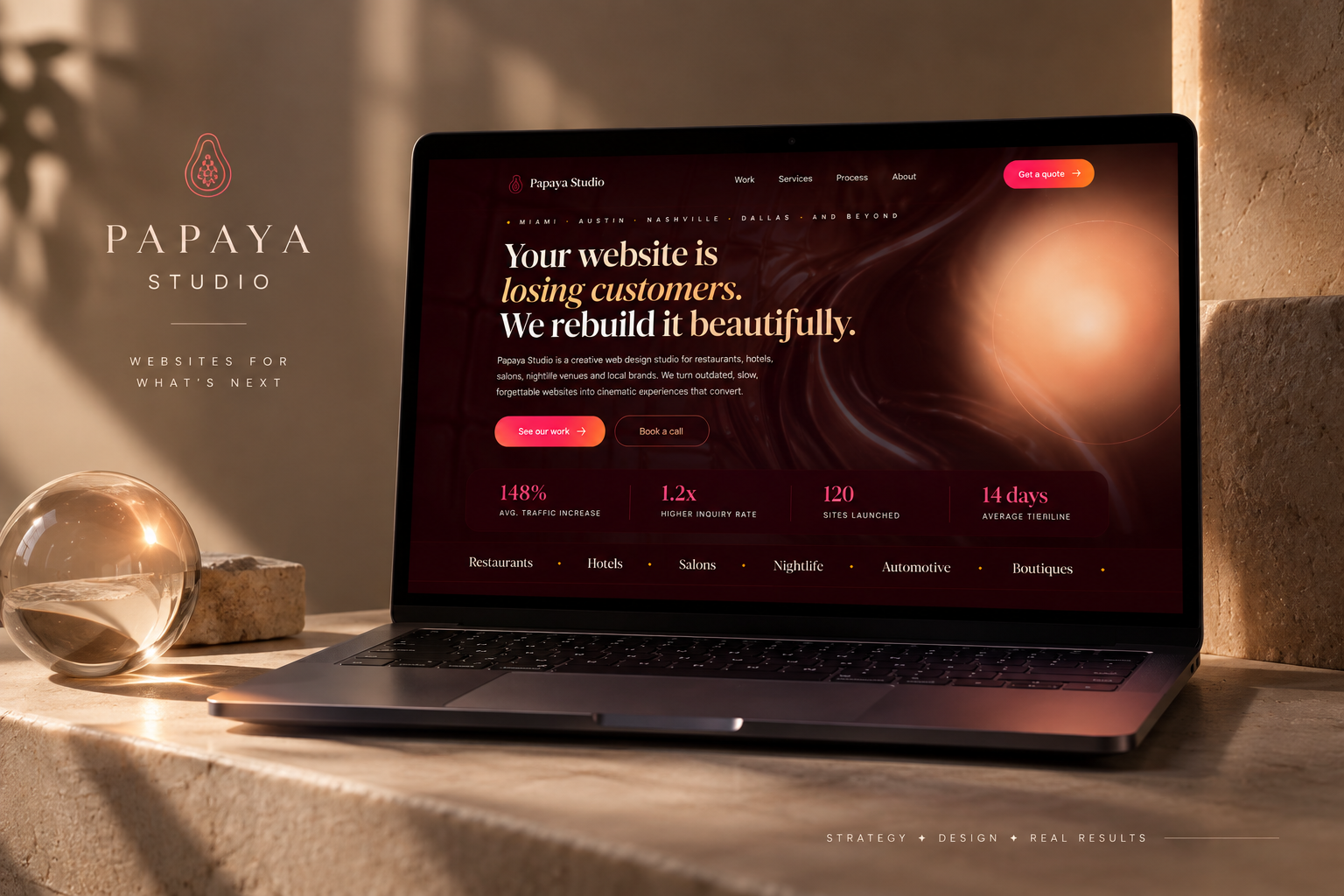
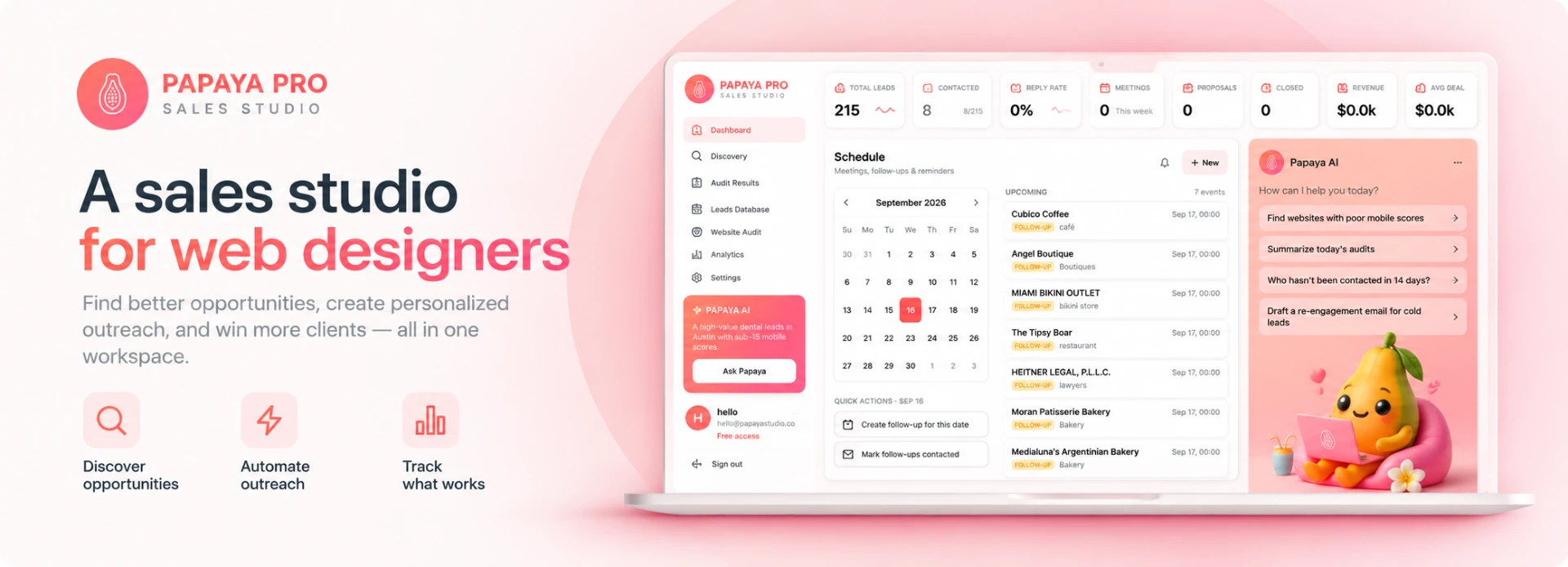
Papaya Pro sales studio cover — branding, headline, and a laptop showing the leads, follow-ups, and Papaya AI dashboard
Role
Product design & build
Timeline
To be added
Type
Sales & client-acquisition workspace
Tools
AI-assisted development
Team
Solo
Overview

What this was, and why

Papaya Pro is a sales and client-acquisition workspace I conceived and built specifically for freelance web designers and small web-design agencies.

The idea came directly from building my own web design business. Finding businesses that could benefit from a redesign meant searching for prospects, auditing their sites, and following up consistently — all by hand.

Papaya Pro turns that messy sales process into a structured workflow: discover leads, audit their sites, draft tailored outreach, and track every next action in one place.

The problem

Finding businesses that could benefit from a redesign meant searching for prospects by hand, judging whether their site needed work, and keeping track of outreach — a process that leaks when it's done manually.

Process

The workflow

Four stages, each with its own screen and its own decision.

  1. 01

    Discovery

    Find and organize business leads

  2. 02

    Audit

    Review the site, score the opportunity

  3. 03

    Draft

    Prepare tailored outreach

  4. 04

    Outreach

    Email, follow-ups, statuses, next actions

Key insights

Product decisions

Key decisions I made while designing Papaya Pro around the real sales workflow of freelance web designers.

Insight 01

Lead Scoring & Revenue Opportunity Score

Problem
Not every business with an outdated website is an equally valuable prospect, making it difficult to know which leads deserve attention first.
Decision
I designed lead and revenue opportunity scoring to surface stronger prospects using signals gathered during the website audit, helping web designers prioritize where to spend their outreach time.
Insight 02

Estimated Project Value

Problem
Finding a business that needs a redesign doesn't immediately tell a web designer whether the potential project is financially worth pursuing.
Decision
Papaya Pro estimates project value using information gathered during the website audit, including the size and structure of the existing site, combined with customizable pricing settings defined by the designer.
Insight 03

Lead Statuses & Next Actions

Problem
Once multiple prospects are in the pipeline, it becomes easy to lose track of who was contacted, who replied, and what needs to happen next.
Decision
I designed lead statuses, next actions, reminders, and follow-ups to make the next step visible throughout the workflow instead of relying on the user to remember it.
Insight 04

Email Workflow & Follow-Ups

Problem
Researching prospects, writing personalized outreach, and remembering when to follow up across separate tools creates unnecessary friction.
Decision
Papaya Pro connects lead research with AI-assisted outreach and follow-up scheduling so web designers can move from finding an opportunity to contacting and nurturing the lead within the same workspace.
Final experience

The dashboard

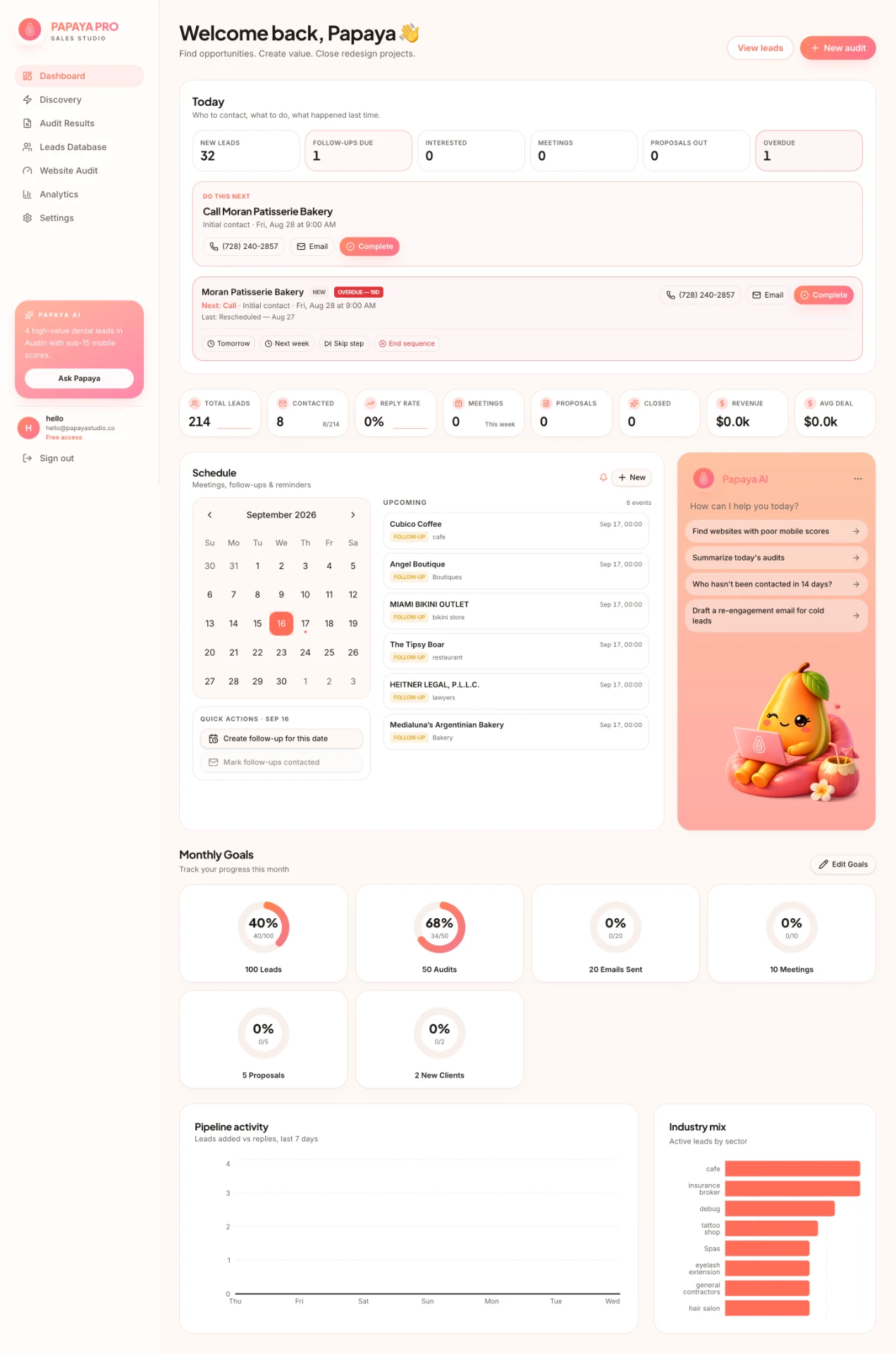
One place for freelance web designers to start and manage their sales day.

Papaya Pro dashboard showing prioritized daily actions, follow-ups, schedule, monthly goals, pipeline activity, and industry mix
Product view

Daily command center

I designed the dashboard around a simple question: “What should I do next?” Rather than overwhelming users with analytics, the experience prioritizes overdue follow-ups, new leads, meetings, and next actions at the top, while keeping pipeline performance, scheduling, and monthly goals visible below. The goal was to give freelance web designers one place to start and manage their sales day—reducing the mental load of remembering who to contact, when to follow up, and how their outreach is performing.

Papaya Pro’s core workflow

From prospecting to pipeline

One connected workflow for web-design sales.

01

Discovery

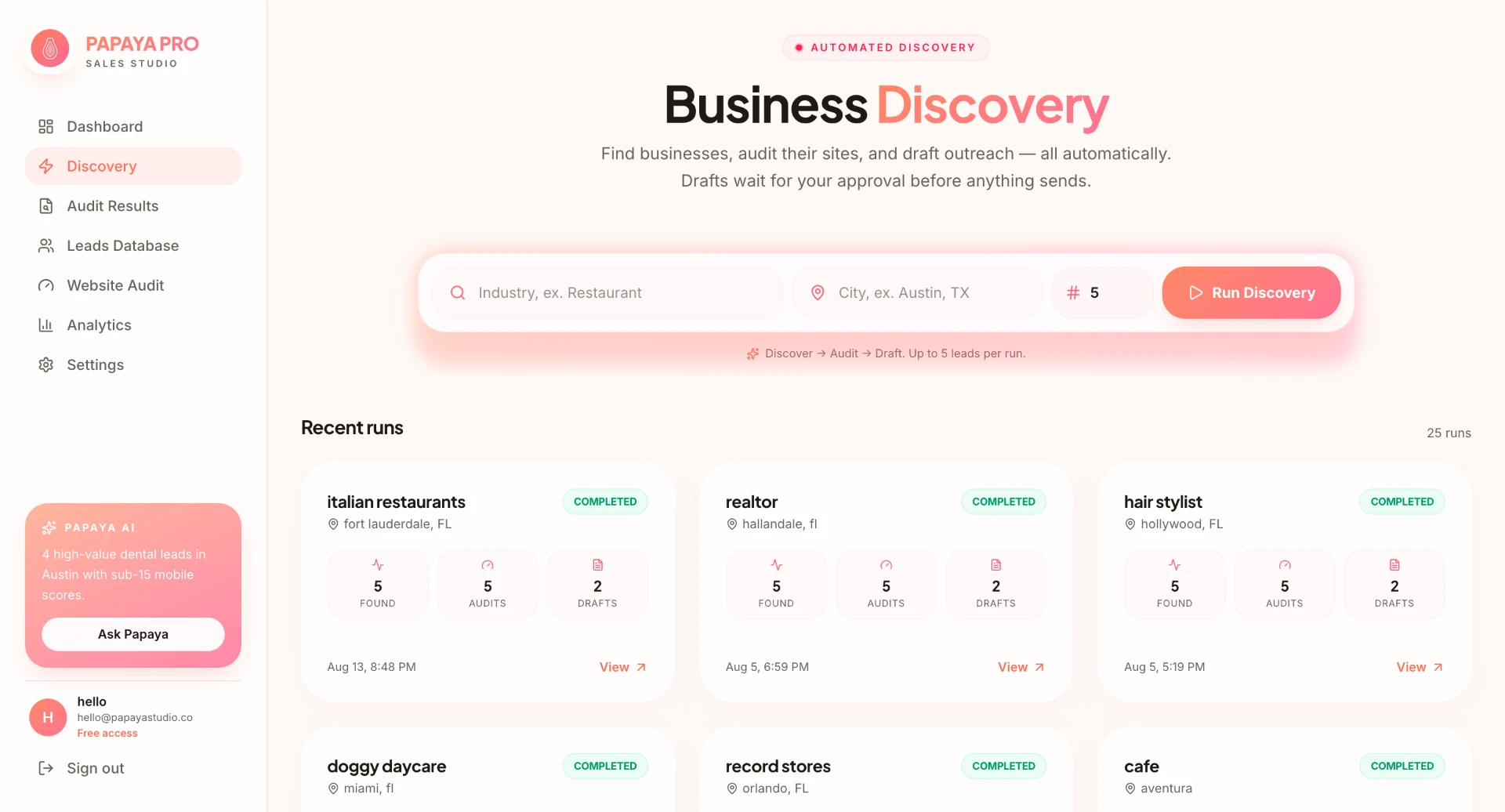
Papaya Pro starts with automated discovery. Web designers choose an industry and location, and the system finds businesses, audits their existing websites, and prepares personalized outreach drafts for review.

Papaya Pro Business Discovery screen showing the automated search form and recent discovery runs
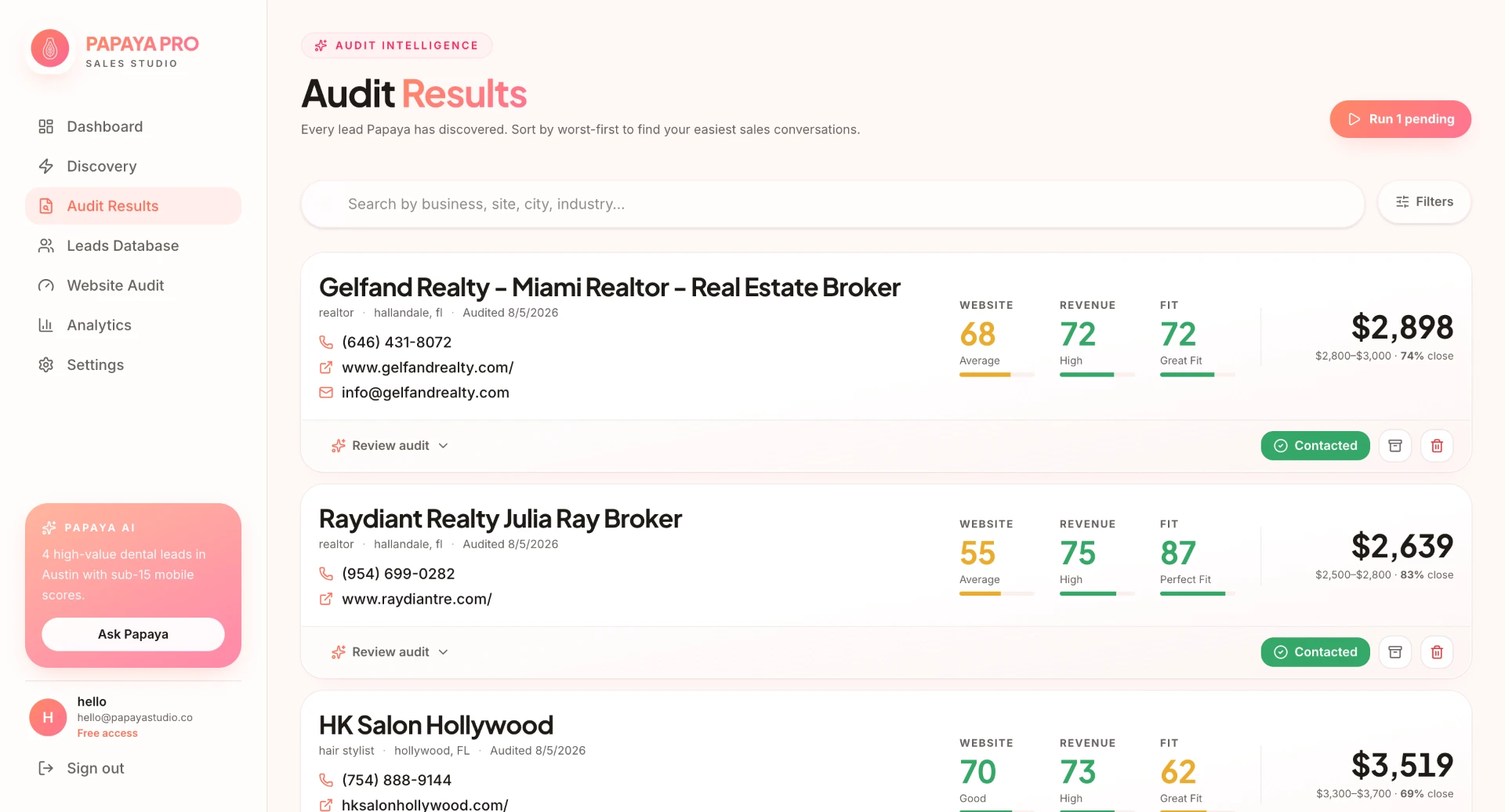
Papaya Pro Audit Results overview showing prospects, opportunity scores, and estimated project values
02

Audit Results

Each discovered website is automatically audited and translated into actionable sales information. Papaya Pro surfaces website, mobile, and revenue-opportunity scores alongside an estimated project value, helping designers quickly understand which businesses may be worth pursuing.

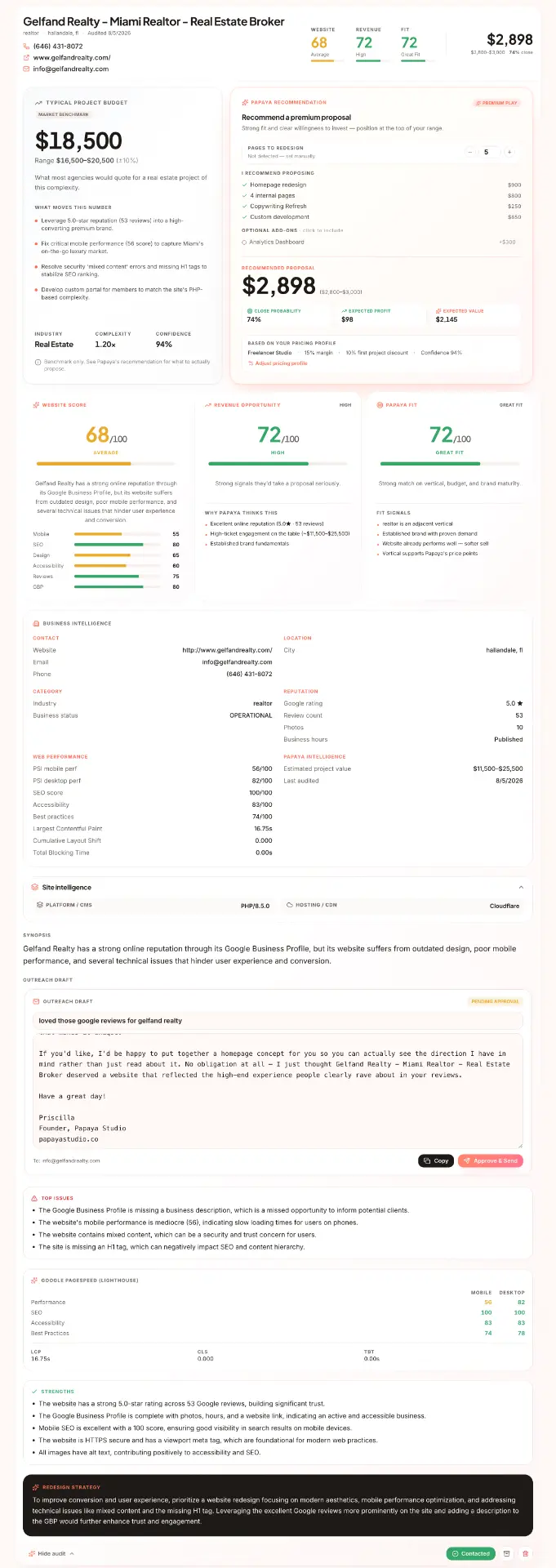
Papaya Pro detailed website audit showing project budget, recommendation, scores, business intelligence, and outreach draft
Expanded audit

Expanded Audit Results

Turning a website audit into an actionable sales opportunity

Expanding an audit reveals a deeper analysis of the prospect's existing website, including its estimated project value, website and mobile performance scores, revenue opportunity, page-level findings, technical and UX issues, and specific areas for improvement. The system also surfaces supporting audit details and AI-generated insights that help the designer understand both what is wrong with the current experience and how substantial the potential redesign opportunity may be.

I designed the expanded view to move beyond a simple score and give web designers enough context to evaluate the lead, understand the scope of a potential project, and prepare more relevant outreach without manually reviewing the entire website themselves.
03

Leads Database

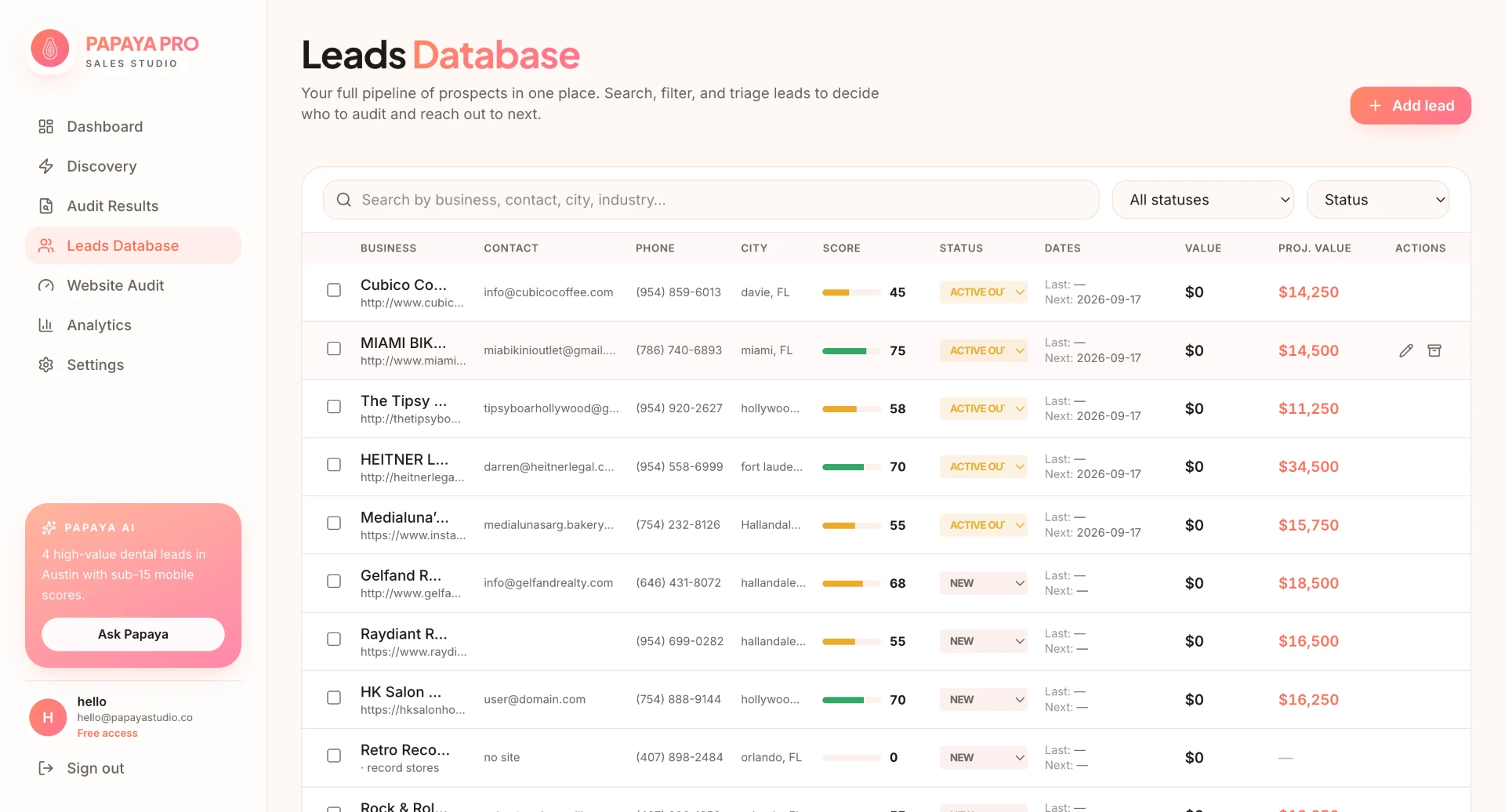
Qualified opportunities flow into the Leads Database, where designers can search, filter, score, assign statuses, track contact activity, and compare projected project values.

Papaya Pro Leads Database screen showing searchable prospects, scores, statuses, activity, and projected values

The complete sales loop

From first signal to signed client

Each tool supports the next decision, turning prospecting into one continuous, manageable process.

  1. 01Discover
  2. 02Audit
  3. 03Prioritize
  4. 04Outreach
  5. 05Follow up
  6. 06Close
Supporting tools

Supporting the sales workflow

Tools for one-off analysis and performance visibility.

Tool 01

Website Audit

Analyze any prospect on demand

Not every potential client needs to come through automated discovery. The standalone Website Audit lets a designer enter a specific website and run the same analysis on demand, making Papaya Pro useful for referrals, inbound prospects, or businesses discovered outside the platform.

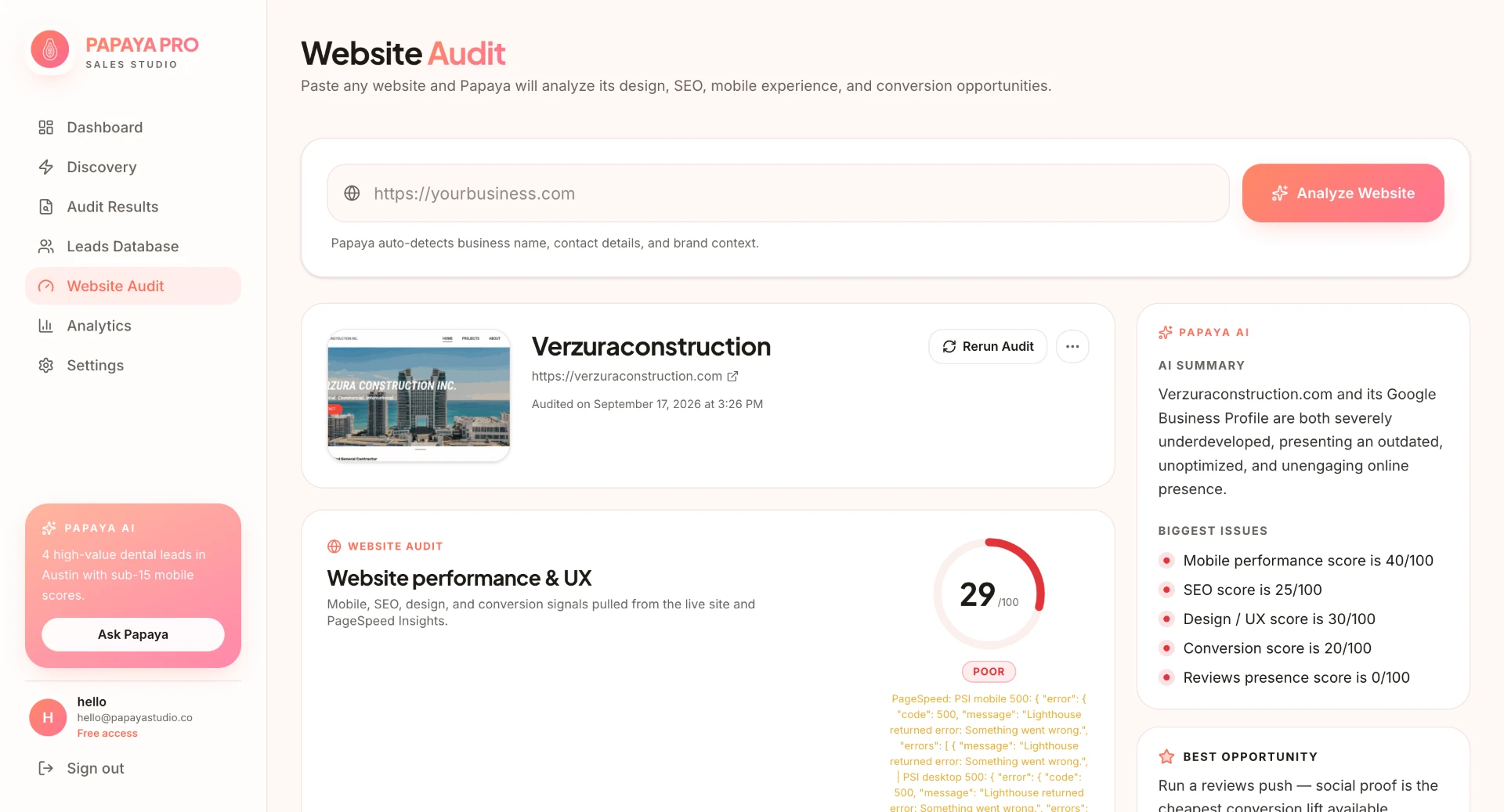
Papaya Pro Website Audit screen showing an on-demand website analysis, performance score, AI summary, issues, and opportunity recommendations
Tool 02

Analytics

Understand what’s working

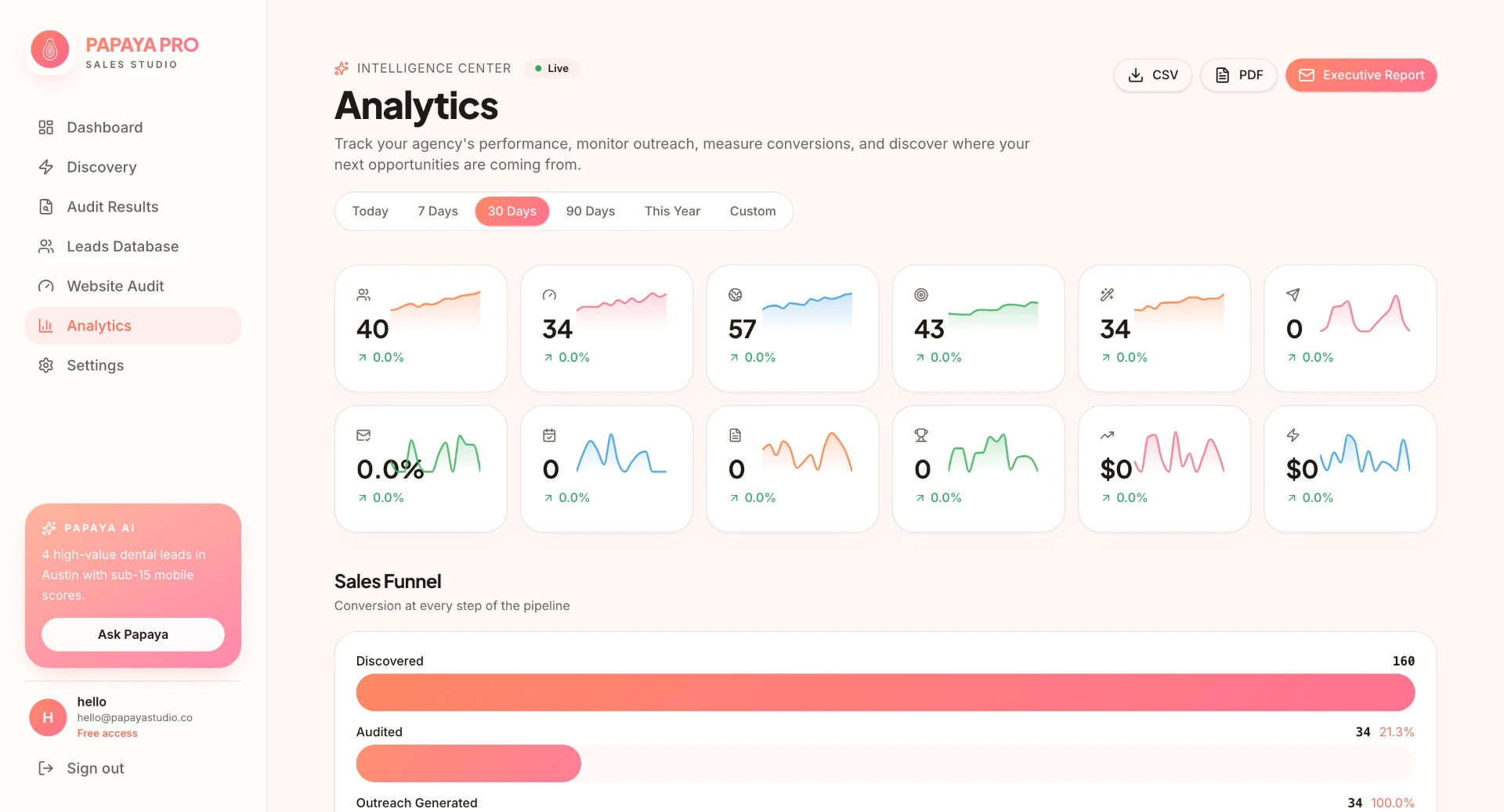
Analytics turns activity across the sales workflow into visual performance data, helping designers understand their pipeline, outreach activity, lead mix, and progress over time rather than managing sales from individual records alone.

Papaya Pro Analytics screen showing pipeline metrics, sales funnel, lead mix, location activity, outreach performance, website insights, goals, and leaderboards
Customization & settings

Pricing that adapts to the designer

Project-value estimates should reflect how each web designer actually prices their work.

Product logic

Settings

Different web designers price their work differently, so Papaya Pro does not assume there is one universal project value.

Customizable pricing settings shape the estimated project values shown throughout the product, connecting an individual designer’s business model to the way opportunities are evaluated and prioritized.

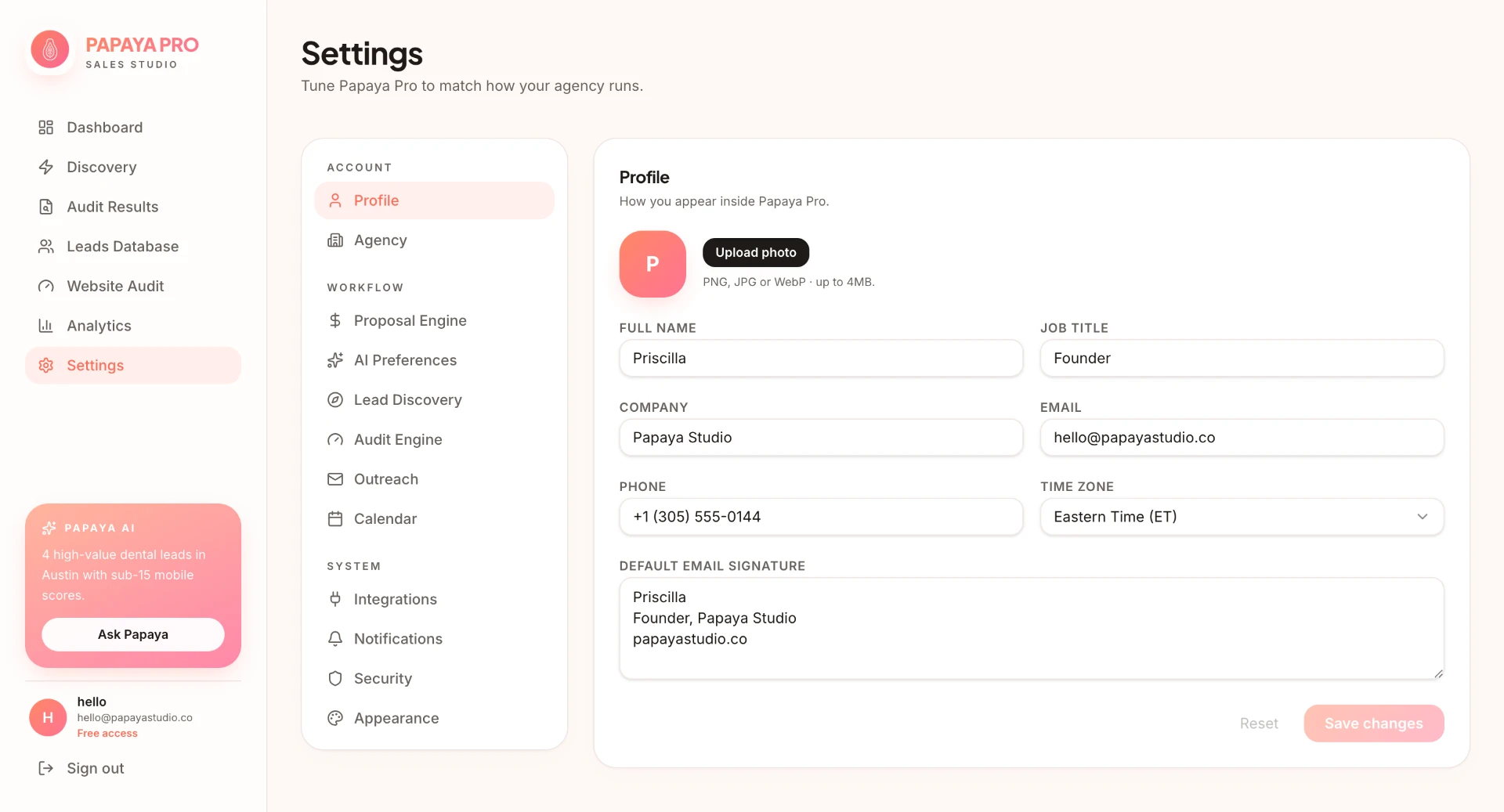
Papaya Pro settings screen 1
01Account

Profile

Personal details and a default email signature keep communication consistent throughout the workspace.

1 / 12 settings screens

Outcome & reflection

Why it stays focused on web designers

01

Designed for the people who actually need it

I wouldn't broaden it to “sales teams” just to sound like a bigger SaaS. A portfolio reviewer is going to understand the product faster when they can immediately tell who you designed it for and why those people need it.

02

Tell the story of the product you actually conceived

And if Papaya Pro eventually expands beyond web designers, cool. But the case study should tell the story of the product you actually conceived and why you conceived it.